Basketball Dunk AI
EN
Make my video

Your video is one step away

Sign-in is free and needs no card. We never publish your photo.

By continuing you agree to the terms and privacy policy.

Basketball Dunk AI

Basketball Dunk AI Generator

What a generator does, the tiers, and a checklist for choosing.

Updated Oct 27, 2026 · Independent tool. Not affiliated with, endorsed by or sponsored by the NBA, any basketball league or team, TikTok or CapCut.

Generator

Make your basketball dunk ai video

Three choices and one tap. The shot list, the timing and the prompt are already built.

01 Add two photos, one person each

Front-facing selfies in good light work best. One face per photo; the two do not need to be taken together.

02 Pick the template

03 Model, quality and format

Standard · 720p · 9:16Change model, resolution or format 10 credits

Model

Resolution

Format

By generating, you confirm the photo shows you or people who gave permission, all 18 or older, and no celebrities or public figures. Terms · Privacy

Get credits to make your video

✓ No subscription needed: pay once, pack credits never expire.

/mo

once

Pay once, no subscription. Credits never expire.

once

Secure checkout by Waffo · Packs are one-time and never expire · Plans renew until cancelled, cancel anytime from your account

What should a basketball dunk ai generator do?

Before you pay for a basketball dunk AI generator, check that it keeps your face through the leap, offers two photos, puts the sound on the file, adds no watermark and shows the price up front. Basketball Dunk AI is a generator that turns a photo of you into a dunk video: you upload a photo, pick a template, and download a 6-second MP4 with the trend sound mixed in. It runs on ByteDance's Seedance 2.0 / 2.5 models. The generator above is preset to Dunk on Your Friend.

What does the generator make?

Every template follows the same six beats, from the drive to the landing, and differs in setting and in who is in it. See all templates or open one directly.

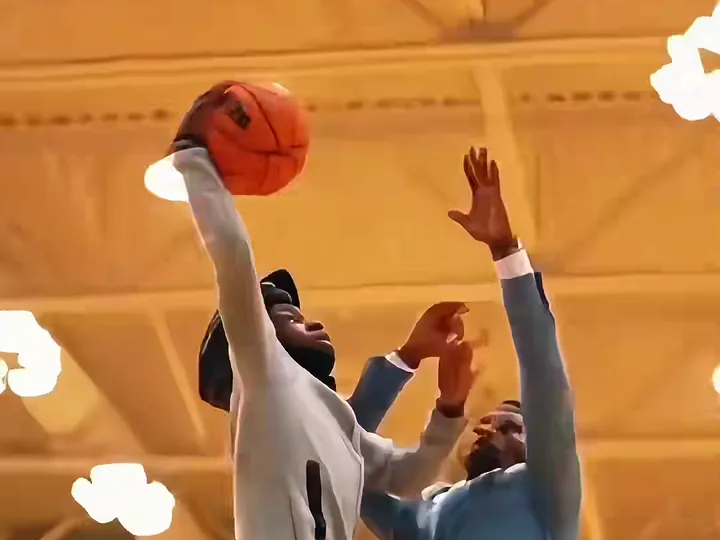
  • Poster Dunk: one photo, an invented defender, a school gym, a one-hand dunk and a hang on the rim.
  • Dunk on Your Friend: two photos, one for the dunker and one for the defender.
  • Open Gym Slam: one photo, a pickup run and a two-hand slam.

Which model tier should you pick?

TierModelCredits per video, by resolution
StandardSeedance 2.0 Mini480p: 5, 720p: 10
FastSeedance 2.0 Fast480p: 8, 720p: 17
ProSeedance 2.0480p: 10, 720p: 20, 1080p: 50
UltraSeedance 2.5480p: 17, 720p: 37, 1080p: 93

Standard at 720p is the default and takes about four minutes. 1080p is offered on Pro and Ultra only, and those two hold faces better when a photo is small or dark. Packs and plans are on the pricing page; there is no free tier.

What should you look for in any basketball dunk AI generator?

  • Face consistency. The face in the clip should match your photo through the leap, not only in the first frame.
  • A two-photo option. Dunking on a friend is half the fun of the trend.
  • Length. The viral clips run about 6 seconds; a shorter clip may cut the replay.
  • Sound. The trend sound should be on the file, not a silent clip.
  • No watermark. Check the downloaded file, not the preview.
  • Price transparency. You should see the cost before you tap generate, and know what happens if a render fails.
  • Honest limits. Any tool that promises a perfect face in every frame is overselling.

Where does it fall short?

The ball or hands can smear for a frame during the leap, the invented defender occasionally looks like the dunker (render again), and faces drift with small, dark or side-on photos. Photos must show you or an adult who agreed. How a CapCut template differs is on the filter page, and the file details are on the video page. Independent tool. Not affiliated with, endorsed by or sponsored by the NBA, any basketball league or team, TikTok or CapCut. Try the generator above.

Related: the video specs and formats, the basketball dunk explained and the dunk prompt, built in.
Examples

AI dunks from the trend

Remakes of the trend posted on TikTok, played with the trend sound. Tap the speaker for sound.

Three steps

How to do the basketball dunk ai trend

No timeline editing and no prompt writing. The clip is already choreographed, you bring the face.

01

Upload one photo

A clear, front-facing photo that shows your face, hair and the outfit you want to wear in the video.

02

Pick the template

Choose one of 3 templates: Poster Dunk, Dunk on Your Friend (add their photo too) or Open Gym Slam.

03

Download and post

Get the 6-second MP4 with the trend sound already on it and post it to TikTok, Reels or Shorts.

Questions

FAQ

What does a basketball dunk ai generator need from me?

A basketball dunk ai generator like Basketball Dunk AI needs one clear photo of you, or two photos for the Dunk on Your Friend template. Pick a template, a model and a ratio, then generate. There is nothing to type and nothing to install. A sharp, front-facing photo gives the best face.

Which basketball dunk ai generator model should I pick?

On Basketball Dunk AI as a basketball dunk ai generator, start with Standard at 720p for 10 credits. Move up to Pro or Ultra only if faces come out soft, since they hold faces better and add 1080p. Across all tiers a video costs 5 to 93 credits.

Can a basketball dunk ai generator make two people?

Yes, if it has a two-photo option. The basketball dunk ai generator on Basketball Dunk AI offers Dunk on Your Friend: Photo 1 is the dunker and Photo 2 is the defender. You can also upload one photo showing both. Only use photos of adults who agreed.

Your video is one photo away

Upload a photo, pick the template, throw it down.

Make my video
Poster Dunk