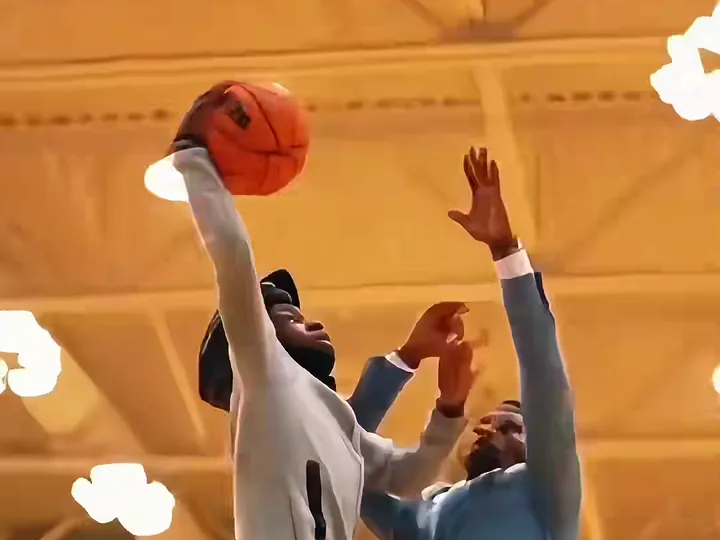
Drive the lane and throw it down over a defender. A bright indoor school gym with a polished wooden floor, blue padded walls, a glass backboard with an orange rim and a few spectators on the bleachers.
Updated Oct 27, 2026 · By the Basketball Dunk AI team
Generator
Make your basketball dunk ai video
Three choices and one tap. The shot list, the timing and the prompt are already built.
Poster Dunk is the classic version of the trend: you take two hard dribbles down the lane, rise over a defender who jumps a beat too late, slam it with one hand and hang on the rim while the camera looks up from under the basket. The defender is a stranger the model invents, so only one photo is needed. It is the template most tutorials show first, and the one to start with.
Tips for the poster dunk
A full-body or waist-up photo works best: the drive and the leap show your legs and shoes, and the model copies them from the photo.
Wear what you would actually hoop in. A hoodie or a jersey reads better in the under-the-rim shot than a coat or a dress shirt.
If the defender looks too much like you, render again: the prompt keeps him a different person, but a second take settles it.
What is already set for you
The subject: you, in the outfit from your photo, driving past one defender and throwing down a one-hand poster dunk over him while he jumps to block, then hanging on the rim.
The scene: a bright indoor school gym with a polished wooden floor, blue padded walls, a glass backboard with an orange rim and a few spectators on the bleachers.
The timing: Every template lands the dunk between second 1.6 and 2.8, then replays it from the baseline.
Open Gym Slam: a pickup-run slam with the whole gym watching
Questions
FAQ
What do I get with the Poster Dunk template?
With the Poster Dunk template, Basketball Dunk AI turns your photo (one per person on a two-person template) into a basketball dunk ai video set in a bright indoor school gym with a polished wooden floor, blue padded walls, a glass backboard with an orange rim and a few spectators on the bleachers. Upload it, select the template and generate.
What does the poster dunk look like?
On Basketball Dunk AI, the poster dunk is you, in the outfit from your photo, driving past one defender and throwing down a one-hand poster dunk over him while he jumps to block, then hanging on the rim. It is a generic design with no brand marks.
Who is the defender in the Poster Dunk video?
In the Poster Dunk template on Basketball Dunk AI the defender is an invented adult with his own face, not anyone from your photo and not a real player. If you want a specific friend to get dunked on, pick the Dunk on Your Friend template instead: it takes a second photo for the defender.