Basketball Dunk AI
EN
Make my video

Your video is one step away

Sign-in is free and needs no card. We never publish your photo.

By continuing you agree to the terms and privacy policy.

Basketball Dunk AI

Basketball Dunk AI Prompt

What the prompt has to get right, and why you do not need to write it.

Updated Oct 27, 2026 · Independent tool. Not affiliated with, endorsed by or sponsored by the NBA, any basketball league or team, TikTok or CapCut.
Generator

Make your basketball dunk ai video

Three choices and one tap. The shot list, the timing and the prompt are already built.

01 Add your photo

Face clearly visible, ideally head to knees. JPG, PNG or WebP, up to 10 MB.

02 Pick the template

03 Model, quality and format

Standard · 720p · 9:16Change model, resolution or format 10 credits

Model

Resolution

Format

By generating, you confirm the photo shows you or people who gave permission, all 18 or older, and no celebrities or public figures. Terms · Privacy

Get credits to make your video

✓ No subscription needed: pay once, pack credits never expire.

/mo

once

Pay once, no subscription. Credits never expire.

once

Secure checkout by Waffo · Packs are one-time and never expire · Plans renew until cancelled, cancel anytime from your account

What is the basketball dunk ai prompt?

The basketball dunk ai prompt has to do five things at once: keep your face through a fast leap, keep the defender a different person, follow a motion reference shot by shot, leave out logos and jerseys, and land six beats on time. On Basketball Dunk AI it is already written and tested, and tied to your photo. Make the video from one photo.

What does the prompt have to solve?

  1. Your face through the leap. The dunker must stay the person in the photo while the body twists, rises and hangs on the rim. The model gets the face from the image, and the instruction must say to keep it instead of inventing a player.
  2. A defender who is someone else. Without a clear rule, the invented defender tends to inherit the dunker's face. In the two-photo template the second face has to stay on the right body.
  3. The motion reference, shot by shot. The drive, the take-off, the slam and the replay come from a movement reference, not from words. Text alone cannot describe a dunk well enough to repeat it.
  4. A gym without letters. Scoreboards, banners and jerseys must stay blank. A reference often carries text or logos, and a model will paint them onto the walls and shirts.
  5. The six-beat timing. The 6 seconds are split into the drive, the take-off, the slam, the replay, the ball through the net and the landing. If the take-off drifts, the slam and the replay land in the wrong place.

Why does a copied prompt go wrong?

Prompts shared in comments are written around someone else's photo, so the usual failures are a face that drifts, a defender who looks like you, a leap that does not follow the motion, logos on the shirts and a replay that arrives too early or too late. Fixing them by hand means rewriting and paying for another attempt each time, which is the part Basketball Dunk AI takes off your hands. A prompt also leans on inputs that text cannot show, such as the motion reference, so pasting the words into another tool gives a different clip.

What is built in here?

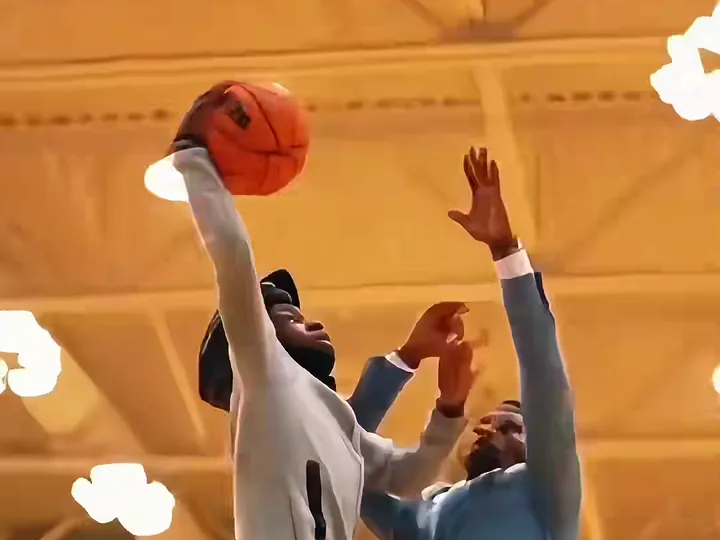
Each of the 3 templates (Poster Dunk, Dunk on Your Friend and Open Gym Slam) carries its own built-in prompt, the motion reference and the settings, so every render follows the same six-beat shot list and the gym stays free of logos. You upload a photo, choose a template, and the rest is fixed. It renders on Seedance 2.0 / 2.5 by ByteDance; tiers and credits are on the pricing page.

It has limits: the ball or hands can smear for a frame during the leap, and the invented defender occasionally looks like the dunker (render again). For the steps, see how to make the video. Independent tool. Not affiliated with, endorsed by or sponsored by the NBA, any basketball league or team, TikTok or CapCut.

Make my video

Examples

AI dunks from the trend

Remakes of the trend posted on TikTok, played with the trend sound. Tap the speaker for sound.

Three steps

How to do the basketball dunk ai trend

No timeline editing and no prompt writing. The clip is already choreographed, you bring the face.

01

Upload one photo

A clear, front-facing photo that shows your face, hair and the outfit you want to wear in the video.

02

Pick the template

Choose one of 3 templates: Poster Dunk, Dunk on Your Friend (add their photo too) or Open Gym Slam.

03

Download and post

Get the 6-second MP4 with the trend sound already on it and post it to TikTok, Reels or Shorts.

Questions

FAQ

What does the basketball dunk ai prompt have to control?

The basketball dunk ai prompt has to hold five things at once: your face through a fast leap, a defender who is a different person, the motion reference shot by shot, a gym with no logos or jerseys, and the timing of six beats in 6 seconds. On Basketball Dunk AI it is built into each template, so you type nothing.

Why does a pasted dunk prompt change my face?

A pasted dunk prompt changes your face because words cannot carry a face: the model only knows yours from the photo, and a prompt written around someone else's photo, outfit or hair pulls the result toward them. Basketball Dunk AI ties the built-in basketball dunk ai prompt to your own photo, so the face stays yours through the leap.

Does the dunk prompt work in other AI video tools?

Not reliably. The basketball dunk ai prompt only works together with a motion reference and the right inputs, and each tool reads them differently, so a pasted text gives a different clip each time. Basketball Dunk AI keeps the prompt, the reference and the settings fixed for Seedance 2.0 / 2.5 by ByteDance, so every render follows the same shot list.

Your video is one photo away

Upload a photo, pick the template, throw it down.

Make my video
Poster Dunk