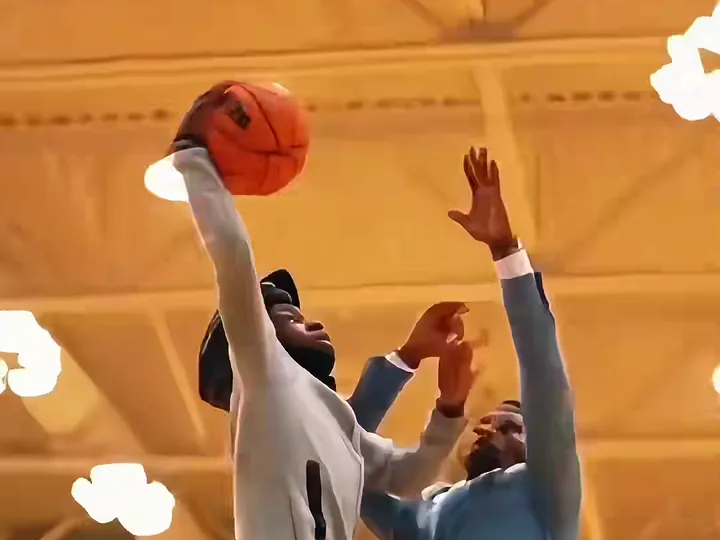
To make the basketball dunk ai video, upload one clear photo to Basketball Dunk AI, pick a template and a format, and generate; the 6-second MP4 with sound is ready in about four minutes. There is no prompt to write and nothing to edit. Open the generator.
What are the four steps?
1. Pick a clear photo
Front-facing, good light, one adult who agreed to it, ideally yourself. Whatever you are wearing in the photo is what you wear in the video, so choose the outfit on purpose. Photos of celebrities, public figures and children are blocked.
2. Choose the template and the format
Pick one of 3 templates: Poster Dunk (one photo), Open Gym Slam (one photo) or Dunk on Your Friend (two photos). Choose 9:16 for TikTok, Reels and Shorts, 1:1 for a feed post or 16:9 for wide.
3. Generate
Pick a model tier and tap generate. Standard at 720p costs 10 credits and takes about four minutes; higher tiers are on the pricing page.
4. Download and post
Download the MP4 within 24 hours, because the file is deleted after that. The trend sound is already mixed in and there is no watermark, so it is ready to upload.
How does Basketball Dunk AI compare with doing it yourself?
Making a dunk clip yourself means assembling the pieces of an AI video job on your own, and each attempt costs time and money. Basketball Dunk AI packs those pieces into one tap, so the comparison is mostly about effort and certainty.
| Basketball Dunk AI | Doing it yourself | |
|---|---|---|
| Time | A few minutes, about four of them rendering | Often an evening of trial and error |
| Tools needed | A browser and one photo | Several apps and accounts, plus a motion reference |
| Skills | None | Writing and tuning instructions for an AI video model |
| Cost structure | Credits per video, 10 at Standard 720p | A subscription or credits, and every failed attempt is paid |
| Result | Same 6-second, six-shot dunk every time | Varies: faces drift, timing slips, logos appear |
Which photo gives the best dunk video?
- Full-body or waist-up. The drive and the leap show your legs and shoes, and the model copies them from the photo.
- Hoop clothes. A tee, hoodie or jersey-style top reads better in the under-the-rim shot than a coat or a dress shirt.
- No sunglasses, caps or headphones unless you want them in the dunk; they are copied into the clip.
- One face per photo. For Dunk on Your Friend, two solo photos work better than a group shot. Photo 1 dunks, Photo 2 defends.
- Sharp and bright. Small, dark or side-on photos make the face drift during the leap.
What if something looks wrong?
- The defender looks like you: render again; a second take usually settles it. Or use Dunk on Your Friend and give the defender a photo.
- Your face drifts: use a larger, brighter, front-facing photo, or try Pro or Ultra, which hold faces better.
- The ball or hands smear for a frame: a known limit of the fast leap; render again.
- A render fails or is blocked: the credits come back automatically.
How do I post it?
Upload the MP4 to TikTok, Instagram Reels or YouTube Shorts as it is. The trend sound is already in the file, and 9:16 fits all three. Label the clip as AI-generated where the app asks for it. Independent tool. Not affiliated with, endorsed by or sponsored by the NBA, any basketball league or team, TikTok or CapCut.
Related: what AI dunk and dunk AI mean and what to check in a basketball dunk AI generator.