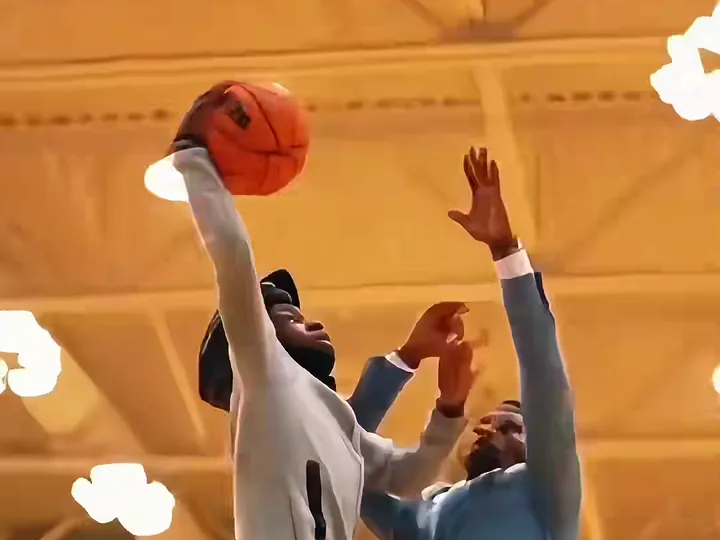
The most common basketball dunk ai video mistakes are a face that drifts, a defender who looks like you, smeared hands or ball, a photo that hides your legs, a dark or filtered photo, a group photo that mixes up the roles, a clip that does not fit the outfit and accessories in the photo, and a render that simply failed. Every one of them is fixed inside Basketball Dunk AI the same four ways: change the photo, pick another template, pick a higher model, or render again.
Key takeaways
- There is no prompt box in Basketball Dunk AI, so your levers are the photo, the template, the model tier and a re-render. That is a short list, and it covers all eight problems below.
- A sharp, front-facing, full-body photo with even light fixes more than any other change, and it costs no credits.
- Pro and Ultra hold faces and fine detail better than Standard. Standard 720p costs 10 credits, Pro 720p costs 20 and Ultra 720p costs 37.
- Video models vary from run to run, so a second render of the same photo is normal. A failed or blocked render returns its credits automatically.
- Basketball Dunk AI is independent and not affiliated with the NBA, any league or team, TikTok or CapCut.
To start again with a better photo, open the generator. If you want to understand why the clip behaves this way first, read how the basketball dunk ai prompt works.
What should I check before I blame the video?
Check the photo first. The render copies one identity from your photo into a 6-second highlight, and almost every visible problem traces back to how much of you the model could see.
Three facts about the clip explain most of what follows. The leap, from about 1.0 to 1.6 seconds, is the fastest moment, so faces and hands are under the most strain there. The slam, from 1.6 to 2.8 seconds, is filmed from under the rim, which makes the body larger and the legs important. And in Poster Dunk the defender is an invented adult, so he can differ from render to render. None of this is a fault in your upload. It is how a very short, very fast clip behaves.
A quick triage helps before you spend credits. Look at your photo and ask four questions. Is the face sharp and big enough to count the eyes? Is the person facing the camera? Can you see the whole body down to the shoes? Is the light even, with no heavy filter? If any answer is no, change the photo before you do anything else. If all four are yes and the flaw is small, such as one blurry hand, render again.
You will find the same four fixes under every problem below, in the order that usually works fastest.
What this section proved: the photo and a re-render solve most cases. What it left unsolved: which fix goes with which symptom, which the next eight sections match up.
1. Why does my face look different in the leap?
Your face drifts in the leap because the model has to rebuild it in every frame while the body moves fast and the head turns. A small, dark, side-on or filtered photo gives it thin evidence, and the face at the rim becomes a blend of you and a generic athlete.
The fixes, in order:
- Change the photo. Use a sharp, front-facing, evenly lit photo where the face is large and uncovered. A selfie in daylight beats a group shot cropped from a party.
- Pick a higher model. Pro and Ultra hold faces better than Standard. If Standard 720p at 10 credits drifted, Pro 720p at 20 credits is the natural next step.
- Render again. A second take of the same photo can land the face better, because video models vary from run to run.
Avoid sunglasses, a hand over the face, heavy beauty filters and photos where the face fills only a small corner. A filter smooths the features the model wants to copy, and it replaces them with a face that is not quite yours.
What this section proved: drift is an evidence problem, fixed by a better photo or a stronger tier. What it left unsolved: a different kind of face problem, a second face that looks too familiar.
2. Why does the defender look like me?
In Poster Dunk the defender is an invented adult, and now and then the model gives him your features because yours is the only face in the input. The template is built to keep him a different person, but on some runs the lookalike still appears.
The fixes, in order:
- Render again. This settles most cases, because the invented defender is different on every take.
- Switch to Open Gym Slam. In Open Gym Slam the defender and the players waiting on the baseline are invented in a different scene, with a lower, closer camera. A fresh composition often gives a fresh face.
- Give the defender a real face. If you know who should get dunked on, use Dunk on Your Friend. It takes a second photo for the defender, so each person has their own reference.
Use a friend's photo only with their permission. Being posterized is funnier when they are in on the joke, and Basketball Dunk AI accepts only your own photo or one you have permission to use, of adults.
What this section proved: a lookalike defender is usually cured by another take or another template. What it left unsolved: the moments when hands or the ball blur.
3. Why are the hands or the ball blurry?
Hands and the ball blur because they are small, fast and change shape during the leap. The ball or hands can smear for a frame, and it is one of the known limits of current video models.
This is the one problem that no photo can fully remove. A sharper photo helps a little, because the model has a better idea of your hands and build, but the smear belongs to the motion.
The fixes, in order:
- Render again. The smear lands on different frames on each take, so a second render often gives a clean slam.
- Pick a higher model. Pro and Ultra hold fine detail better than Standard. Pro 720p costs 20 credits and Ultra 720p costs 37.
- Raise the resolution. Pro and Ultra also offer 1080p, at 50 and 93 credits. Use it for a clip you plan to post, and test the shot at 480p or 720p first.
A smear for a single frame is rarely visible at normal speed, especially with the trend sound playing. If the clip looks good at full speed, you may not need to fix anything.
What this section proved: blur is a model limit that tier and re-rendering reduce. What it left unsolved: what the model cannot see in your photo.
4. What happens when my photo cuts off my legs?
When your photo shows only your head and shoulders, the model has to invent your legs, shoes and build for the drive and the leap. The result can be a body that does not match you, or shoes that change between shots.
A dunk clip uses the whole body. The drive is a low, wide shot, the slam is filmed from under the rim, and the landing shows you turning to the camera. The model copies what it sees in the photo, so a full-body or waist-up picture gives it the most to work with.
The fixes, in order:
- Change the photo. Use a full-body picture, or at least waist-up, with your shoes visible if you can.
- Check your outfit. Wear what you would actually hoop in. A hoodie or a jersey reads better in the under-the-rim shot than a coat or a dress shirt.
- Render again if the body is right but one frame looks odd.
If your only good photo is a close-up, try Open Gym Slam. The camera stays lower and closer, and the casual look suits a simple tee and shorts.
What this section proved: the model copies the body it can see. What it left unsolved: photos that are the right shape but poor quality.
5. Why does a dark or filtered photo ruin the clip?
A dark or filtered photo ruins the clip because the model reads shape and colour from it, and a dark photo hides both. Heavy filters, beauty smoothing and strong colour grading change the face, so the clip copies the filter instead of you.
You will see this as a face that looks plastic, a skin tone that shifts between the drive and the replay, or an outfit whose colour changes in the replay angle. The replay is a second camera angle from the baseline, so any weakness in the reference shows up twice.
The fixes, in order:
- Change the photo. Take a new one in daylight or near a window, with no filter and no flash glare.
- Pick a higher model. Pro and Ultra hold faces better, though no tier can rescue a very dark photo.
- Do not edit the face. Skip face-smoothing apps before you upload.
Faces drift most with small, dark, side-on or filtered photos, so fixing the light is the cheapest improvement you can make.
What this section proved: light and filters set the quality ceiling. What it left unsolved: photos with more than one person.
6. Why do two people swap roles in Dunk on Your Friend?
In Dunk on Your Friend, Photo 1 is always the dunker and Photo 2 is always the defender. Roles swap or blend when the photos are crowded, when both faces are in one image, or when the more prominent person in a single photo is not the one you want to dunk.
Two solo photos, one clear face each, keep the two people from blending. One photo of both of you also works, but the more prominent person dunks, and the model has to keep each face on the right body.
The fixes, in order:
- Use two solo photos instead of a group shot.
- Swap the photos if you want your friend to dunk on you instead.
- Pick a higher model. Pro and Ultra hold faces better than Standard.
- Render again if the roles are right but a face slips for a moment.
Only use your friend's photo with their permission, and ask again before you post it publicly.
What this section proved: two clear photos keep two people apart. What it left unsolved: things in the photo you did not mean to bring along.
7. Why did a cap, headphones or glasses show up in the dunk?
Anything visible in your photo can be copied into the clip. Headphones, caps and glasses go with you onto the court, and so does a branded hoodie or a coat that does not suit a gym.
This is a feature of how the template reads the photo: it copies your outfit, because the clip is supposed to show you. The templates' gyms are generic, with no league logos or team jerseys, but your own clothes are your own.
The fixes, in order:
- Change the photo. Take off the cap, headphones and glasses before the picture if you do not want them in the dunk.
- Dress for the court. A plain tee, shorts or a jersey from your own wardrobe reads best.
- Match the template to the look. Casual clothes suit Open Gym Slam, which feels like a weeknight pickup run. A sharper outfit suits Poster Dunk, which feels like a showcase.
What this section proved: the clip carries over whatever is in the photo. What it left unsolved: the case where nothing looks wrong with the photo and the render still fails.
8. What if the render fails or is blocked?
A failed or blocked render returns its credits automatically. You do not need to ask, and you do not pay for the attempt. Try again with the same photo, or change the photo and the template if the first try was blocked.
A render can be blocked when the photo breaks the rules of the site: it must show an adult, it must be your own photo or one you have permission to use, and it must not show a celebrity, a public figure or a minor. If a block surprises you, the fix is a different photo, not a different setting.
Keep two practical details in mind. Finished files stay downloadable for 24 hours, so save the MP4 as soon as you are happy with it. And there is no free tier, so plan your attempts: a Standard 480p test costs 5 credits, a Standard 720p video costs 10, and the Single pack covers one Standard 720p video.
A cost-smart way to work is to test with Standard, move to Pro for a better face, and use Ultra or 1080p only for the take you will post. The pricing page lists every pack by name, and credits never expire.
What this section proved: failed renders cost nothing, which makes retries safe. What it left unsolved: nothing the questions below cannot answer.
Frequently asked questions
Should I change the photo or render again first?
Change the photo first when the problem is the face, the legs or a swapped role, because the photo decides most of a basketball dunk ai video and costs no credits. Render again first when the photo is already sharp and the flaw is random, such as a blurry hand, in Basketball Dunk AI.
Which model fixes a drifting face in a basketball dunk ai video?
Pro and Ultra hold faces better than Standard, so try them when a face drifts in the leap. In Basketball Dunk AI, Pro 720p costs 20 credits and Ultra 720p costs 37, against 10 for Standard. A sharp, front-facing photo still matters most for any basketball dunk ai video.
Do I pay again when my basketball dunk ai render fails?
No. A failed or blocked render in Basketball Dunk AI returns its credits automatically, so a failed basketball dunk ai attempt costs nothing. A render that finishes but looks wrong is different: it was successful, so a second take spends credits again. Fix the photo first to avoid wasting them.
Is a selfie enough for a basketball dunk ai video?
A sharp, front-facing selfie works in Basketball Dunk AI, but a full-body or waist-up photo gives a better basketball dunk ai video, because the drive and the slam show your legs and shoes. If your only photo is a close-up, try the Open Gym Slam template, where the camera stays lower and closer.