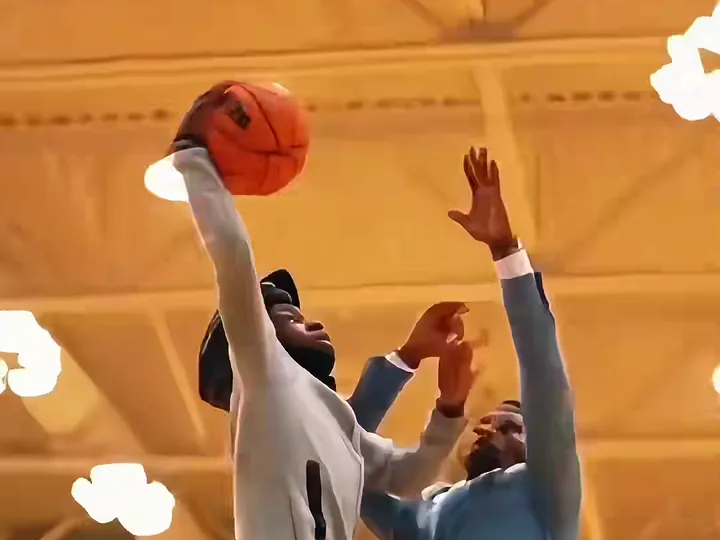
To post a basketball dunk ai video, save the 6-second MP4 within 24 hours, upload it in 9:16 to TikTok, Instagram Reels and YouTube Shorts, leave the sound alone because the trend audio is already mixed in, and use a short caption with the tags #AIDunkTemplate, #BasketballAITrend and #SlamDunkAI. Tag the friend who got dunked on only if they agreed. A Basketball Dunk AI file has no watermark, so you can upload it as it is.
Key takeaways
- Choose 9:16 for TikTok, Reels and Shorts, 1:1 for a feed post and 16:9 only for a wide YouTube video. All three are available when you render.
- The sound is already in the file. Posting it as it is keeps the original trend audio in time with the six beats.
- The clip is 6 seconds, so it loops naturally. Do not pad it with intro text or slow it down.
- Use a few specific hashtags: #AIDunkTemplate, #BasketballAITrend and #SlamDunkAI are the ones the trend uses.
- Finished files stay downloadable for 24 hours, so save the MP4 right away.
- Basketball Dunk AI is independent and not affiliated with the NBA, any league or team, TikTok or CapCut.
Need the clip first? Open the generator. Prefer to understand the steps behind it? Read how to make a basketball dunk ai video.
Which ratio and resolution should I pick before I render?
Pick the ratio before you render, because it sets the frame the whole dunk is composed in. For a post on TikTok, Instagram Reels or YouTube Shorts, choose 9:16. For a feed post, choose 1:1. For a wide YouTube video, choose 16:9.
The three ratios are not just a crop. The drive, the under-the-rim slam and the baseline replay are composed for the frame you choose, so rendering in one ratio and cropping later wastes detail. If you plan to post the same dunk in more than one place, render the vertical version first, since three platforms use it, and decide whether a square or a wide copy is worth the extra credits.
Resolution comes second. Every model offers 480p and 720p, and Pro and Ultra also offer 1080p. A short vertical clip looks fine on a phone at 720p, and the Standard model at 720p costs 10 credits. Spend on 1080p only for the take you are sure about: Pro 1080p costs 50 credits and Ultra 1080p costs 93. A good routine is to test the template at Standard 480p, which costs 5 credits, then render the final at the tier your photo needs.
What this section proved: pick 9:16 by default and spend on resolution last. What it left unsolved: what is already inside the file.
What is already inside the video file?
The file is a 6-second MP4 with the trend's original sound mixed in and no watermark. That means you can upload it directly, and you do not need to open an editor to add audio.
The clip follows six beats: the drive from 0.0 to 1.0 seconds, the take-off from 1.0 to 1.6, the slam from 1.6 to 2.8, the replay from 2.8 to 4.2, the ball going through the net from 4.2 to 5.0 and the landing and celebration from 5.0 to 6.0. The sound is mixed to the clip as a whole. If you trim it, speed it up or lay another track over it, you change that balance, and the slam stops feeling like the high point.
Two practical notes belong here. First, because the audio is baked into the file, the app will treat it as your own upload rather than as a sound picked from the library. Second, finished files stay downloadable for 24 hours, after which they are gone. Save the MP4 to your device straight away, and post from the saved copy if you want to wait for a better moment.
The Standard model takes about four minutes to render, so you can make the clip, save it and open the posting screen in one sitting.
What this section proved: the file is ready to post as it is. What it left unsolved: what to do with the sound inside each app.
Should I keep the trend sound or choose a sound in the app?
Keep the sound in the file. The audio is already mixed, so what you hear matches the take-off, slam and landing you see, and a second sound laid on top competes with it.
On TikTok, the trend spread through CapCut AI templates, and those templates come and go and can be region-locked. A clip from Basketball Dunk AI does not depend on a template link, so you do not need CapCut or any template to post it. You upload the finished MP4.
Some practical points:
- Leave the sound as it is. Your clip carries its own audio, and the app treats it as an upload.
- Do not add music over the top. Two tracks muddy the slam.
- If you want to try a different sound, work on a copy. Keep the original MP4 untouched and edit a duplicate.
Remember that the trend started on TikTok in October 2026 and is still moving. Posting soon matters more than polishing the sound.
What this section proved: the built-in audio is the one to keep. What it left unsolved: the words around the clip.
How do I write a caption and choose hashtags?
Write a caption of one short line, add three to five hashtags and put the most specific tag first. The clip is 6 seconds, so the caption should be as quick as the video.
The three tags that belong to this trend are #AIDunkTemplate, #BasketballAITrend and #SlamDunkAI. Add one tag that describes your own post, such as the joke or the template, and stop there. A caption stuffed with twenty tags looks like spam and does nothing for a clip this short.
Caption ideas that work for a short clip:
- A one-line setup, such as "Never thought I would dunk. Then I uploaded one photo."
- A question for the comments, such as "Who should I dunk on next?"
- A plain description of what it is: "Made with Basketball Dunk AI."
Keep the tone honest. The clip is AI-generated from a photo, and your caption should not suggest you were filmed on a court. Where the app offers an AI-content label, switch it on. If it does not, write "made with AI" in the caption.
Do not use the name of any real player, team or league in the caption or the tags. The templates use generic gyms with no league logos or team jerseys, and the caption should match.
What this section proved: short caption, three specific tags, honest label. What it left unsolved: the friend who got dunked on.
How do I tag the friend who got dunked on?
Tag your friend only if they agreed, and ask again before you post publicly. The Dunk on Your Friend template puts a real person on the receiving end, and a tag sends the clip to their followers, not just to them.
Photo 2 in that template is the defender who jumps and gets posterized. Using their photo requires their permission at the upload step, and tagging requires it again at the posting step. A good practice is to send the clip privately first. If they laugh and say yes, tag them. If they say no, or ask you to take it down later, do not post it, or remove it promptly.
Some ways to make the joke land and stay friendly:
- Let them choose the role. Swap the photos so they dunk on you instead.
- Post a pair. One clip where you dunk on them and one where they dunk on you.
- Ask in the caption. A line like "Rematch?" invites them into the comments rather than putting them on the spot.
Basketball Dunk AI accepts only adults, and only your own photo or one you have permission to use. It blocks celebrities, public figures and minors, so a clip of a stranger or a public figure is not an option.
What this section proved: consent comes before the tag. What it left unsolved: how the 6-second length helps the post.
How do I keep the 6-second loop working?
Keep the loop by posting the clip at full length and without an intro. A 6-second dunk ends with a celebration and starts again with the drive, so on a platform that replays short videos automatically, the loop feels like a highlight on repeat.
Three habits protect it:
- Do not add an intro card or outro. Every second you add pushes the dunk further from the start, and the loop gets longer than the clip.
- Do not slow it down. Slowing the clip drags the audio with it.
- Pick a cover frame from the slam. The under-the-rim moment, between about 1.6 and 2.8 seconds, is the strongest still. If the app lets you choose a cover, use a frame from there.
Short clips also make it easy to post in more than one place. Upload the same 9:16 file to TikTok, Reels and Shorts, and change only the caption to suit each app. If you want a feed version, render a 1:1 copy rather than cropping.
What this section proved: the short length is an advantage, so leave it alone. What it left unsolved: what to do when the clip is not ready to post.
What if the clip is not ready to post yet?
If the clip is not ready, fix it inside Basketball Dunk AI before you post. Change the photo, pick another template, choose a higher model or render again. Failed or blocked renders return their credits.
Common reasons to wait are a face that drifted or a blurry hand. A sharp, front-facing, full-body photo fixes most of them, and Pro and Ultra hold faces better than Standard. The full list of fixes is in the mistakes guide, and the reasons behind them are in how the basketball dunk ai prompt works.
Choose a template that fits the post. Poster Dunk is the classic one-photo showcase. Open Gym Slam is a casual pickup run. Dunk on Your Friend is the one for the group chat. The pricing page lists every credit pack by name, and credits never expire, so you can keep some for the next take.
What this section proved: you can fix the clip before you post it. What it left unsolved: nothing the questions below cannot answer.
Frequently asked questions
Which hashtags should I use for a basketball dunk ai video?
Use three to five tags, with the trend ones first: #AIDunkTemplate, #BasketballAITrend and #SlamDunkAI. For a Basketball Dunk AI clip, add one tag about your own post and stop there. A basketball dunk ai caption full of tags looks like spam. Avoid the names of real players, teams or leagues.
Do I need to label my basketball dunk ai video as AI?
Yes, where the app offers an AI-content label, switch it on. If you find none, write "made with AI" in the caption. A Basketball Dunk AI file is generated from a photo, so a basketball dunk ai post should never be presented as filmed footage of a real game.
Can I post a basketball dunk ai video of my friend?
Only with their permission, and ask again before you post publicly. Basketball Dunk AI accepts only your own photo or one you have permission to use, of adults. A basketball dunk ai clip made with the Dunk on Your Friend template should be tagged only if they say yes, and removed if they ask.
How long do I have to download my basketball dunk ai video?
Finished Basketball Dunk AI files stay downloadable for 24 hours, and then they are deleted. Save your basketball dunk ai MP4 to your device straight away. If you want to post later, upload from the saved copy, not from the site, because the file will not be there the next day.